Free expense tracker: know where your money goes
Log income and spending in seconds, set monthly budgets, repeat your regular bills and see clear charts. Works in any currency, works offline, and you can start right now without signing up.
An expense tracker that is quick enough to actually use
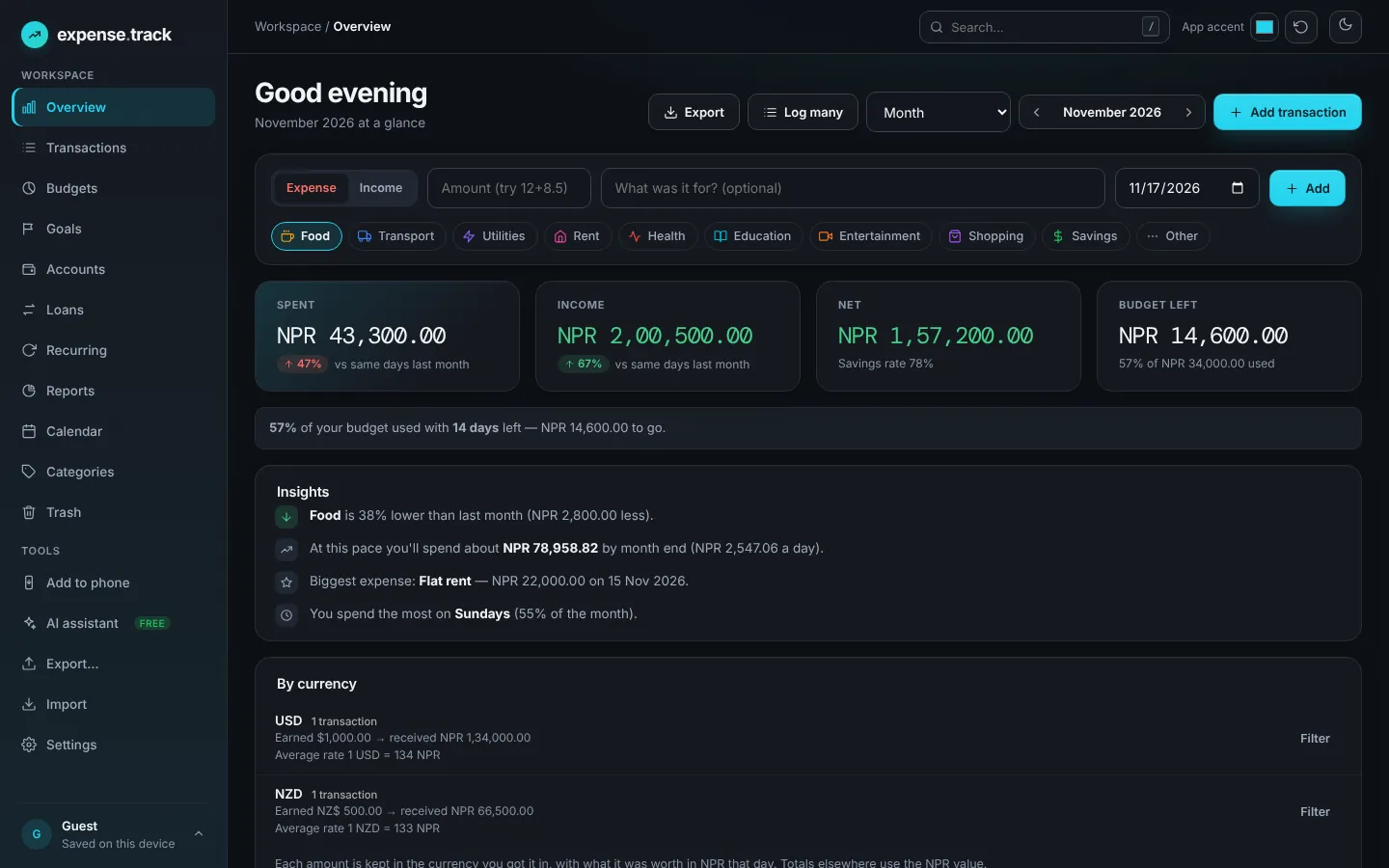
An expense tracker records what you earn and what you spend so you can see patterns and make better money decisions. expense.track by ToolsMingo keeps that simple: type an amount, choose a category, press Enter. The overview, budgets and reports update instantly.
It is built for everyday people, freelancers and families who want a clear picture without bank connections, ads or a complicated setup. Your data stays on your device and syncs to a free account only if you choose.
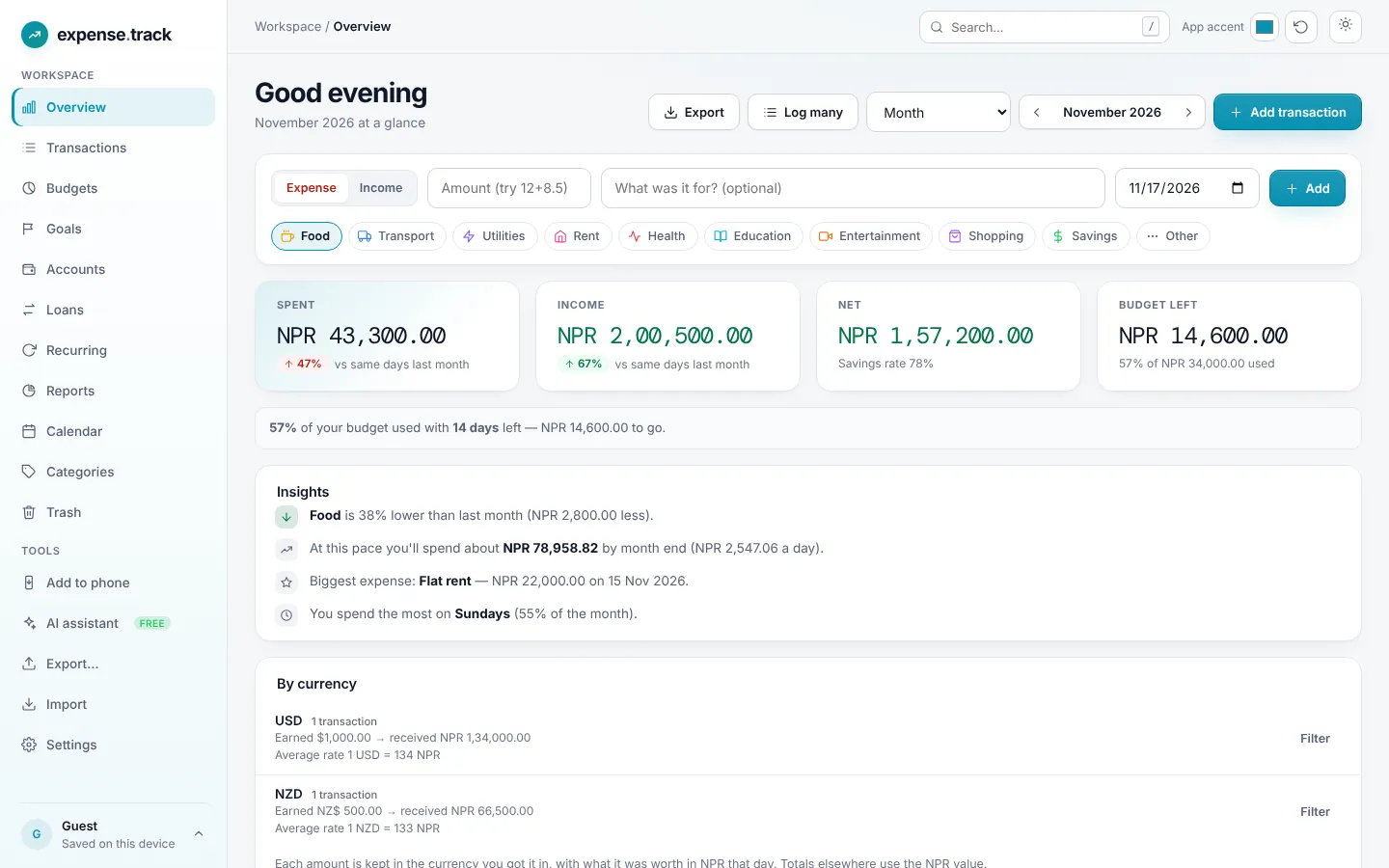
Real screens from expense.track
These are screenshots of the live app with sample data, so you can see exactly what you get.


Four steps to a clear monthly picture
No spreadsheets to build and no bank logins. Start with today’s coffee and let the reports do the rest.
Add a transaction in seconds
Type an amount, pick a category and press Enter. You can even type a sum like 12+8.50 and it adds it up for you.
~5 secondsOrganise with categories
Use the built-in categories or create your own with an icon and colour for food, rent, clients or anything else.
Your own systemSet budgets and recurring bills
Give each category a monthly limit and repeat rent, subscriptions and salary automatically.
Runs by itselfSee where the money goes
The overview, calendar and reports show trends, top categories and your savings rate. Export a CSV any time.
Clear pictureEverything a good expense tracker should do
Simple enough for your first entry, detailed enough to run your household budget.
Fast quick-add
Add an expense in seconds from the overview, with a built-in calculator for amounts like 12+8.50.
Monthly budgets
Set a limit per category, watch the progress bars, and get warned before you overspend.
Recurring transactions
Weekly, monthly or yearly. Rent, subscriptions and salary are added for you on the due date.
Clear reports and charts
Income vs spending by month, spending by category, biggest expenses and your savings rate.
Any currency
USD, EUR, GBP, AUD, INR, NPR and more, formatted the way you expect to read them.
Works offline, syncs when online
Install it like an app. Your data stays on your device and syncs to your free account when you want.
Free AI assistant
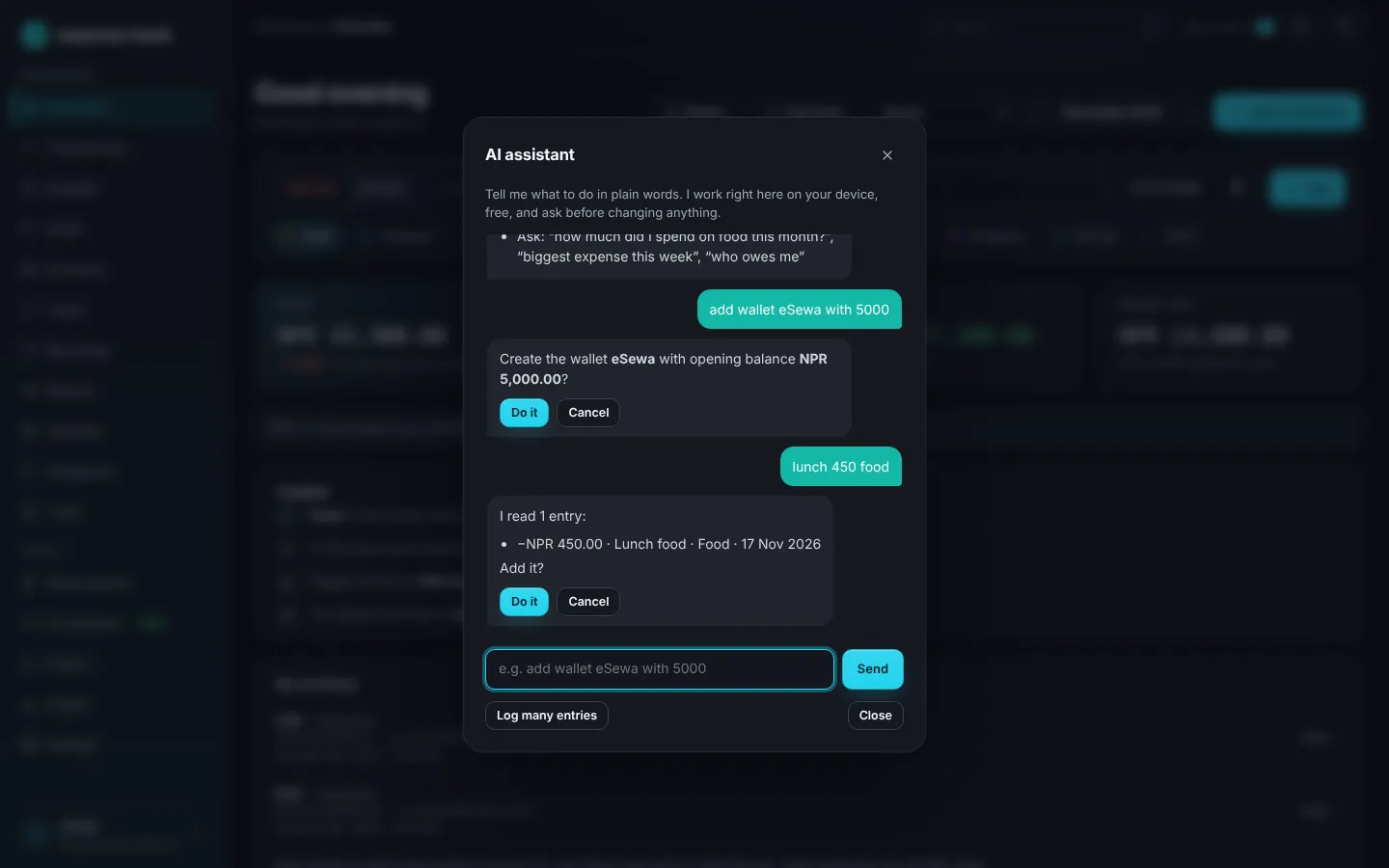
Create wallets and categories, set budgets, log entries and ask questions like how much you spent on food, by typing plain words. Private, free and in your browser.
Original currency, remembered
Record 100 USD as 100 USD, then add what you received after conversion. Filter by currency later to see what you earned in each, and the average rate.
Wallets, loans and goals
Track cash, bank and e-wallet balances, money you lent or borrowed (with bulk select and delete), and savings goals with progress.
Your own categories and sub-categories
Group spending the way you think: Stocks as a parent with each company beneath it, or Land, Gold, Family. Add, rename and reorder any time.
Optional stock tracker
Switch on a simple portfolio tracker in Settings: buy price, units, money spent and profit or loss. Off by default so it never gets in the way.
AD and Nepali BS dates
If you pick Nepal as your country you can choose BS as your calendar. Dates are stored once and shown in both, so months and reports always match.
Import and export
Export transactions, budgets, loans and stocks as CSV or PDF, and import CSV from your bank or spreadsheet. Your data is never locked in.
Phone, tablet and desktop
A responsive layout built for one-handed use, installable on your home screen, with cloud backup when you create a free account.
How to get real value from tracking
Tracking only helps if you keep it up. These habits work with any tool, and expense.track makes each one easy:
- 1Record every expense the same day, even small ones
- 2Use 8 to 12 categories, not 40, so your reports stay readable
- 3Set a budget for the categories that you overspend, not all of them
- 4Add rent, subscriptions and salary as recurring transactions
- 5Review the overview once a week, not once a year
- 6Compare each month with the last and look for the biggest change
- 7Pay yourself first: move savings out as soon as income lands
- 8Export a backup at the end of each quarter
Three ideas to set your first budget
Pick one, set the category limits in expense.track and adjust after a month.
The 50/30/20 rule
Aim for about 50% of income on needs, 30% on wants and 20% on savings and debt repayment. Set category budgets to match, then adjust to your real life.
Pay yourself first
Treat savings like a bill. Add a recurring “Savings” transaction on payday so the money is set aside before you can spend it.
Track for 30 days
Most people are surprised by where small purchases go. One honest month of tracking shows which categories to cut and which to protect.
Why not just use a spreadsheet or your bank app?
They work for a while. They get tedious when you want budgets, repeating bills and reports.
| expense.track Best fit | Spreadsheet | Bank app | |
|---|---|---|---|
| Add an expense | ✓ Secondsamount, category, Enter | ~ Find the right cell | ~ Open the bank app |
| Monthly budgets | ✓ Built inprogress and warnings | ~ Formulas you maintain | ✕ Rarely available |
| Recurring bills | ✓ Automatic | ✕ Copy rows by hand | ✕ Not possible |
| Charts & reports | ✓ Instant | ~ Build them yourself | ~ Limited |
| Works on your phone | ✓ Installable, offline | ~ Clumsy to edit | ✓ Yes |
| Private & exportable | ✓ Your data, CSV and JSON | ✓ Yours | ~ Locked in the bank |
Made for anyone who wants a handle on their money
Freelancer? Pair it with our free invoice generator to bill clients and track what you spend in one place.
Expense tracker questions, answered
Quick answers about pricing, currencies, budgets and privacy.
Still have a question?
Browse every answer or send us a message. We read everything.
All FAQs Contact usYes. You can track unlimited income and expenses, set budgets and export your data for free. There is no subscription and no credit card. A free account adds cloud backup and syncing between your phone and computer.
No. Open expense.track and start adding transactions straight away. Everything is saved in your browser on your device. Create a free account whenever you want your data backed up and available on every device.
Any of the most common currencies, including USD, EUR, GBP, AUD, CAD, INR, SGD, AED and NPR. Pick yours in Settings and every amount, chart and budget uses the right symbol and number format, including lakh and crore grouping for INR and NPR.
Yes. expense.track is a web app that you can install on your phone or computer. After the first visit it keeps working without a connection, and your entries sync to your account the next time you are online.
Yes. Give each category a monthly limit, such as food, transport or entertainment. You see how much is used and left, with a warning colour at 80% and again when you go over. You can copy last month’s budget in one click.
When you add a transaction, choose Repeat: weekly, monthly or yearly. expense.track adds it automatically on each due date, so rent, subscriptions and salary never need to be typed twice. You can pause or delete a rule in Settings.
Yes. Dates are stored in both the Gregorian (AD) and Bikram Sambat (BS) calendars, so you can switch in Settings at any time and nothing is lost. Everyone else can simply keep the default AD calendar.
Yes. Download all your transactions as a CSV for Excel or Google Sheets, or save a full JSON backup and import it again later. Your data is yours and is never sold or used for ads.
Yes. Choose the currency when you add a transaction, enter the amount as you received it, then enter what actually arrived after conversion. expense.track keeps the original amount and the converted value, so you can filter by currency later and see what you earned in each.
Yes, and it is free. Type plain words such as “add wallet eSewa with 5000” or “lunch 450 food” and it shows what it understood before saving. It runs in your browser.
Yes. Wallets, loans (lent and borrowed) and goals are built in. A simple stock tracker with buy price, units and profit or loss can be switched on in Settings. It is off by default.
Start tracking today
It takes about five seconds to add your first expense. Free to use, no credit card, and no account needed to begin.